



For busy families · iOS & Android

Family life,
one step ahead.

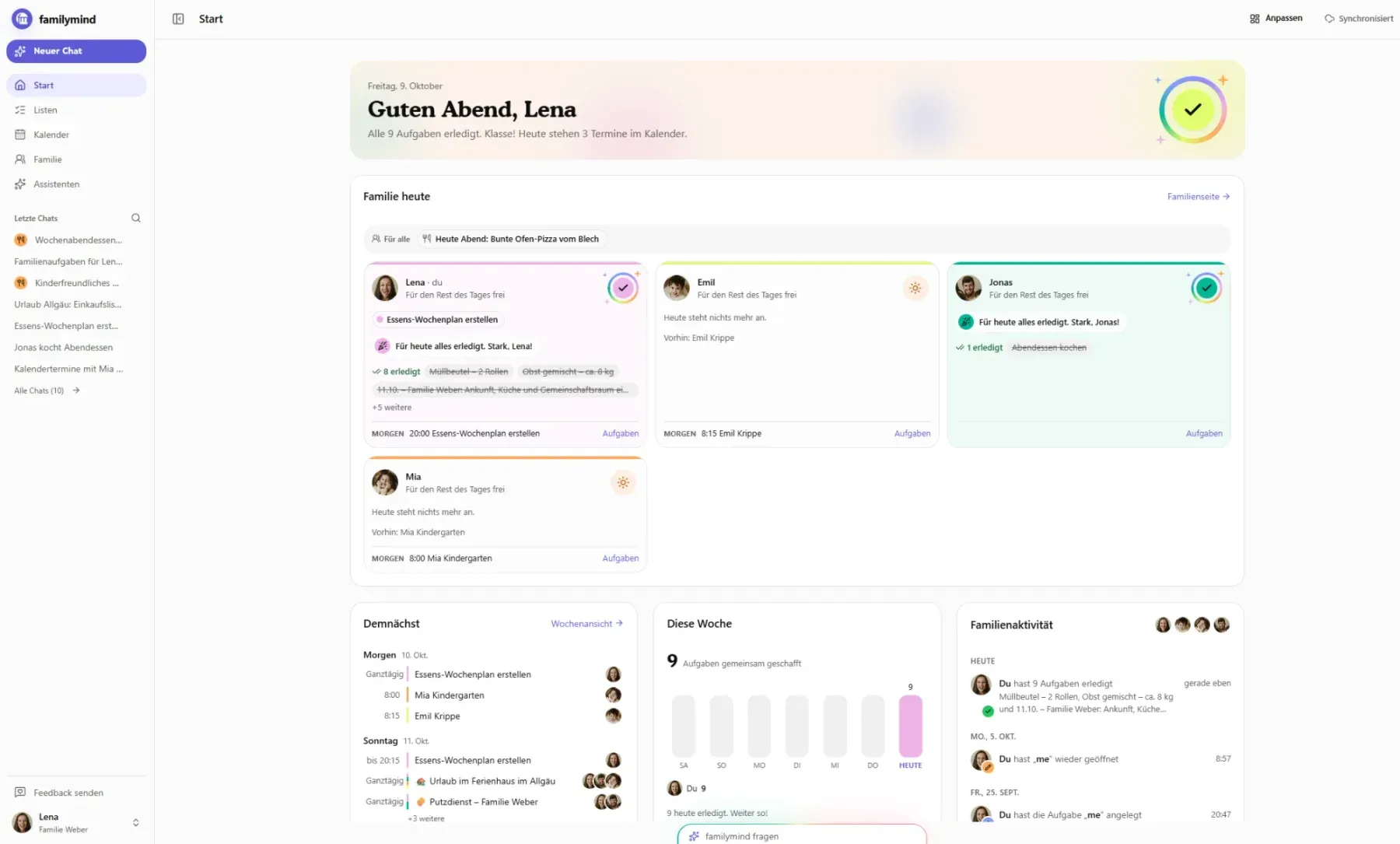
familymind is the Family AI that remembers how your family works. It plans your week with you and reminds the right person before anyone has to think of it.

  • Free to download
  • No credit card
  • Two-way Apple & Google sync
Knows your family One step ahead
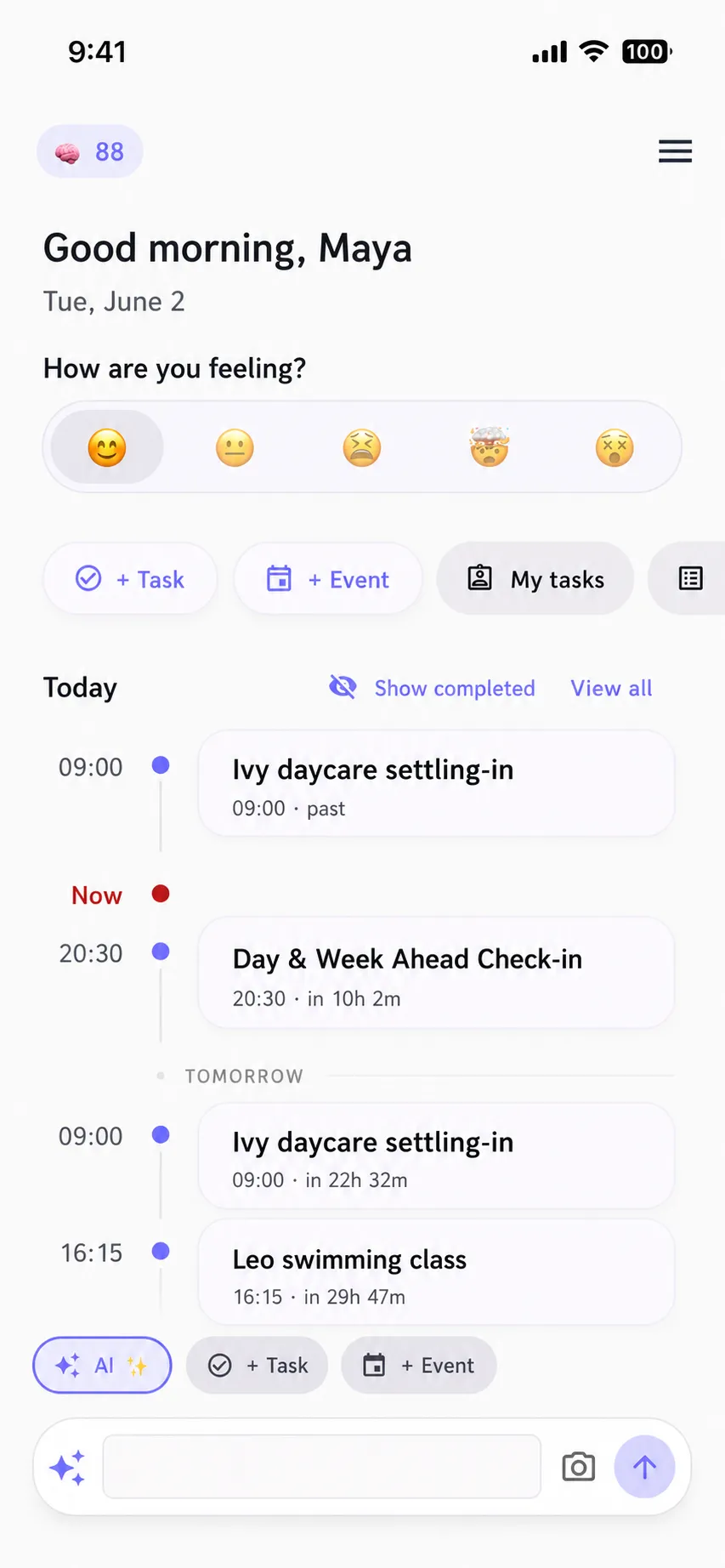
familymind home screen showing today's family timeline and a mood check-in
The mental load

Someone always has to remember.
Usually it’s the same person.

Doctor’s appointments, school forms, what’s for dinner, whose turn it is. Keeping track of it all is invisible work, and it wears you down.

“Who has practice on Thursday?”
Someone has to know every schedule, for every child.
“Did the form get signed?”
Someone has to spot it, sign it, and send it back on time.
“What’s for dinner tonight?”
Someone has to decide, every single day, and do the shopping.
“Whose turn is it this time?”
Someone has to keep score, and that easily ends in an argument.
Why familymind is different

It knows your family, so it can think ahead.

A calendar only shows what you typed in. familymind remembers how your family works, stays one step ahead, and works with the calendars you already use.

01

Family memory

It learns how your family works: swim class on Tuesdays, the dairy-free meals, the school run that alternates by week. That memory stays private to your family.

✦ It knows your family, not just your tasks
02

One step ahead

Because it knows your family, it notices what’s coming and prepares it before anyone has to remember. If music moves, the pickup moves too, and the right person hears about it.

✦ Done before you ask
03

One calendar for every device

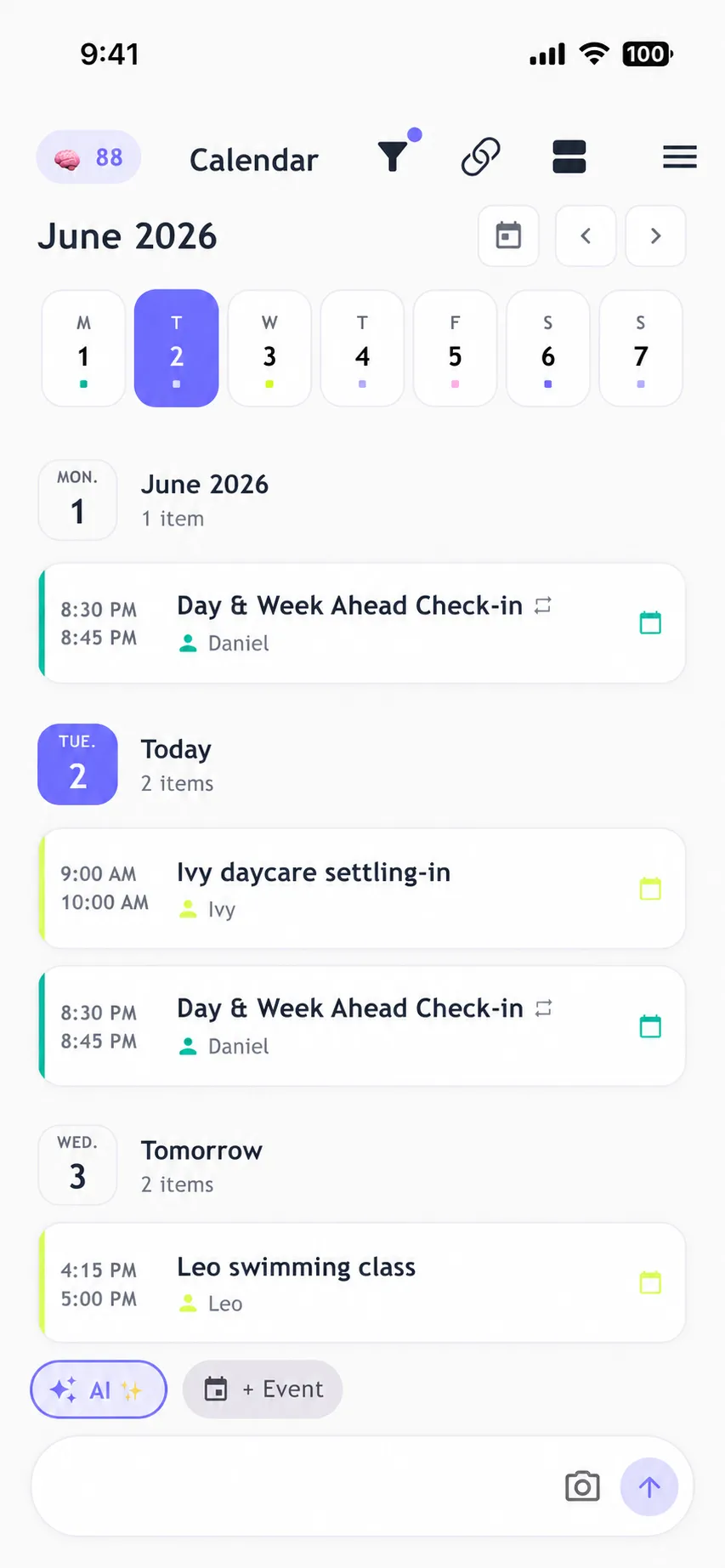
Two-way sync with Apple and Google Calendar, built in. For Outlook and every other calendar, familymind publishes a link, so everyone sees the plan where they already look.

✦ Apple & Google, both ways
04

It keeps things fair

See who is carrying what right now, and share the work before one person burns out.

✦ Shared responsibility, not nagging
Family assistants

An assistant for each part of family life.

Each assistant looks after one job, like meals or the weekly plan. They all live in the same app.

  • Atlas

    Weekly planning

    Helps when the week is packed and nobody has the full picture.

    So that everyone sees one plan for the week, and fewer things fall through.

  • Mia

    Meals and shopping

    Helps when deciding what to eat turns into a daily chore.

    So that the week’s meals are planned once, with a shared shopping list to match.

  • Even

    Sharing the load

    Helps when one person ends up keeping track of everything.

    So that you can see who does what, and share the work more fairly.

  • Brief

    Family briefing

    Helps when important things get lost in chats and notes.

    So that you get a short overview of what’s coming up for your family.

  • Pip

    Health appointments

    Helps when check-ups and doctor’s visits are easy to forget.

    So that everyone’s health dates sit in one calendar, with a reminder in time.

  • Bridge

    Family conversations

    Helps when days go by with nothing but logistics.

    So that guided questions get you talking about more than the schedule.

  • Mile

    Family goals

    Helps when the bigger plans get buried by everyday life.

    So that you set a goal together and move towards it in small steps.

  • Nest

    The first 90 days with a baby

    Helps when a new baby turns everything upside down.

    So that your 90-day plan reminds you in time and splits the load between both parents.

New assistants are added all the time. Tell us what you’d like next.

In everyday life

What a normal week looks like.

Six moments every family knows, and what familymind does in each one.

Sunday evening

Go through the week together: every appointment, pickup and activity in one calendar, synced both ways with Apple and Google.

What’s for dinner?

Plan the week’s meals once. Whatever you’re missing goes on the shared shopping list.

Whose turn is it?

Chores are shared out and visible to everyone. Kids get age-appropriate tasks too.

The morning rush

Open the app and see who needs to be where today, and what comes next.

A letter from school

Take a photo. familymind adds the date and a reminder for you.

How are you, really?

A quick daily check-in on how everyone feels, and questions that start real conversations.

Free to download

Start sharing the load.
It’s free.

Download familymind, invite your family, and plan your first week together. No credit card needed.

  • App Store and Google Play
  • Free to start
  • Cancel Premium anytime
Free tool · 2 minutes

Not sure yet? See where your load really sits.

Take the free Mental Load Score quiz. In two minutes you will see how much you carry and where it sits heaviest, no sign-up needed.

Your result sets up Even, the load-sharing assistant, so familymind knows from day one where to rebalance.