

Sunday evening
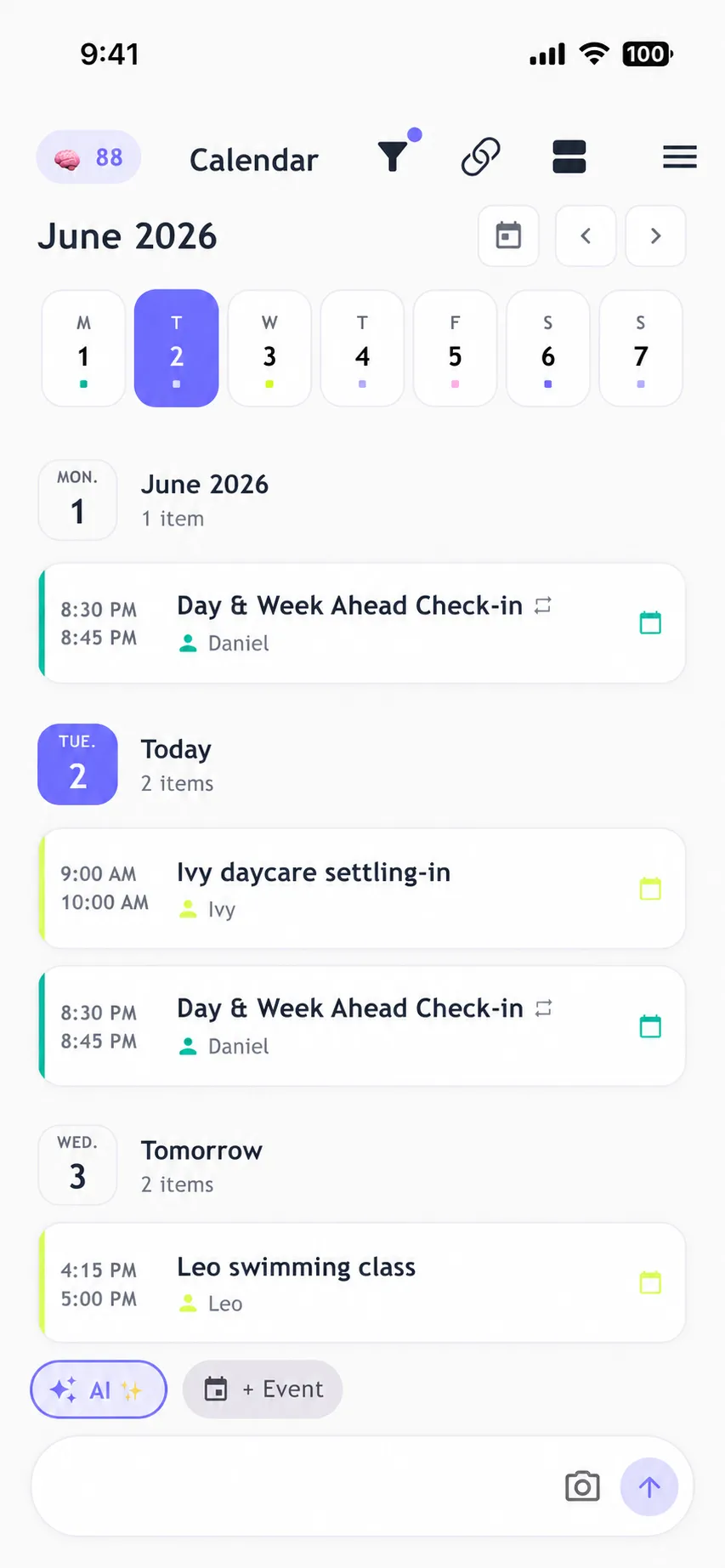
Go through the week together: every appointment, pickup and activity in one calendar, synced both ways with Apple and Google.

For busy families · Browser · iPhone · Android
familymind is the Family AI that remembers how your family works. It keeps one shared family calendar with two-way Apple and Google sync, puts meals, chores and routines in one place, and stays one step ahead.
Each one takes a minute. Together they take the remembering off one person.
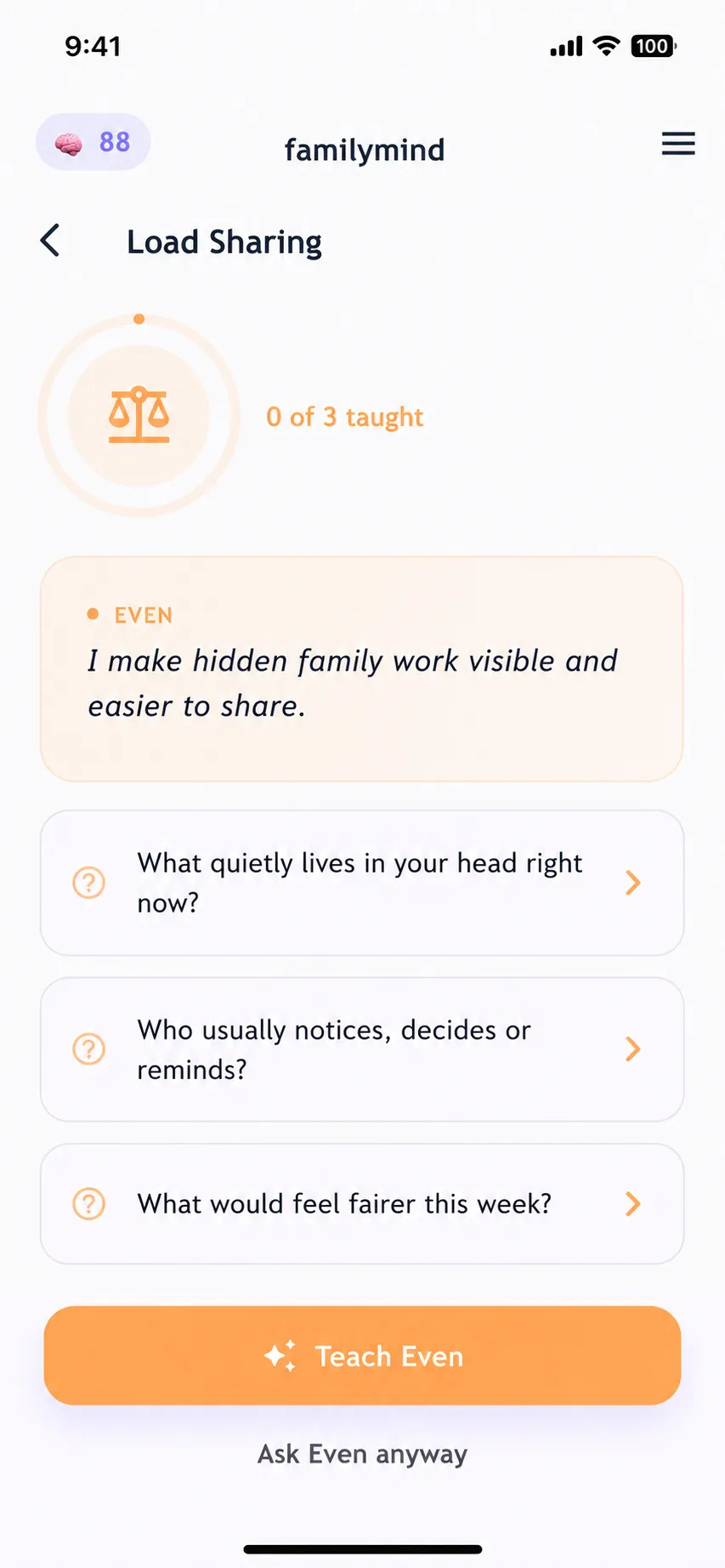
One shared family for everyone you invite: partner, kids, grandparents. Even shows who is carrying what right now, so the work gets shared before one person burns out.
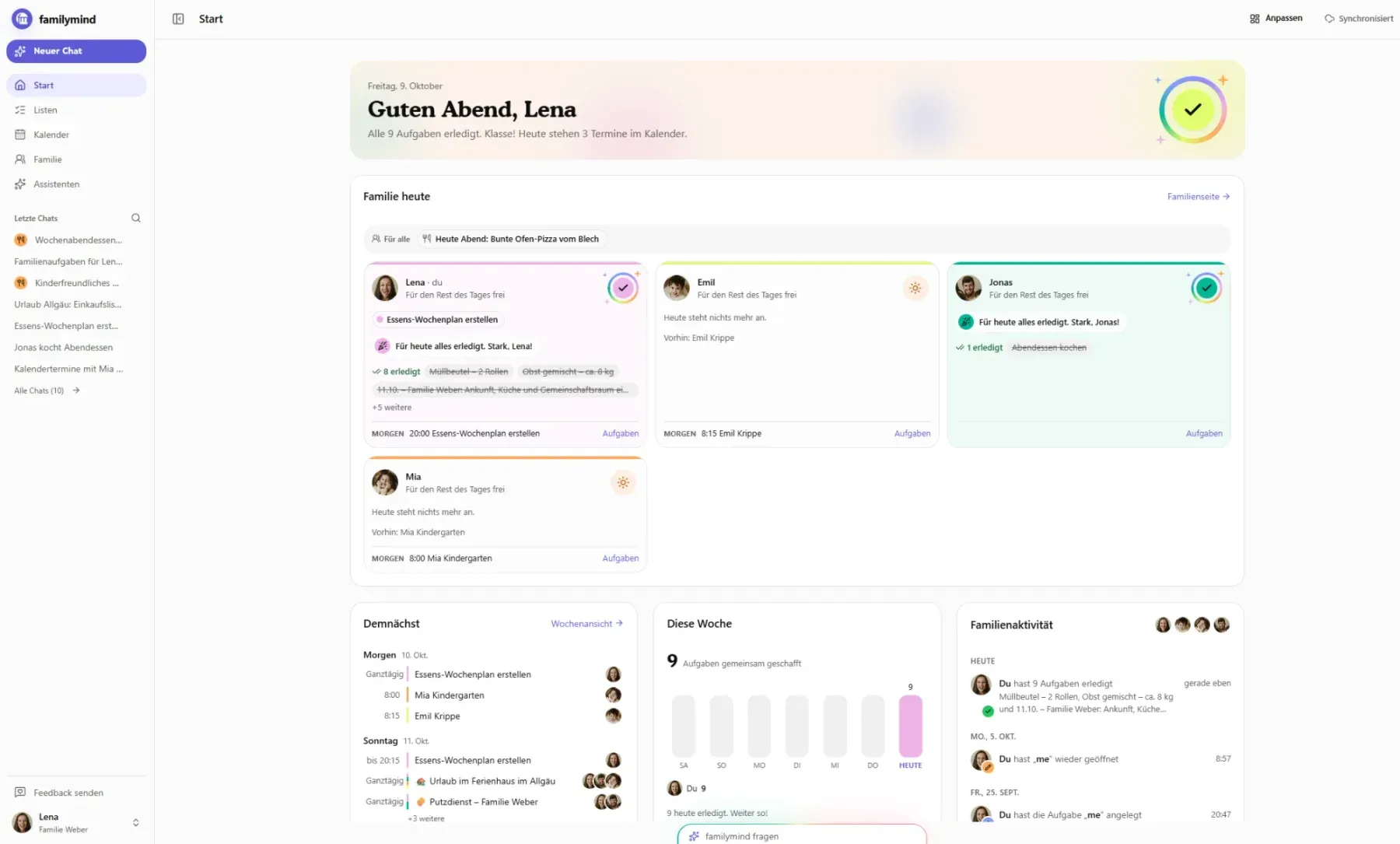
Plan the week on the laptop you already sit at. The web app and the phone show the same family, in sync, so what you add at your desk is there at pick-up time.
Two-way sync with Apple and Google Calendar, built in. For Outlook and every other calendar, familymind publishes a link, so everyone sees the plan where they already look.
Mia keeps a cookbook of your family’s favourite meals, reads your stock from a photo, lays out the week with who cooks when, and writes the grocery list from what is missing. The big views live in the web app, in sync with your phone.
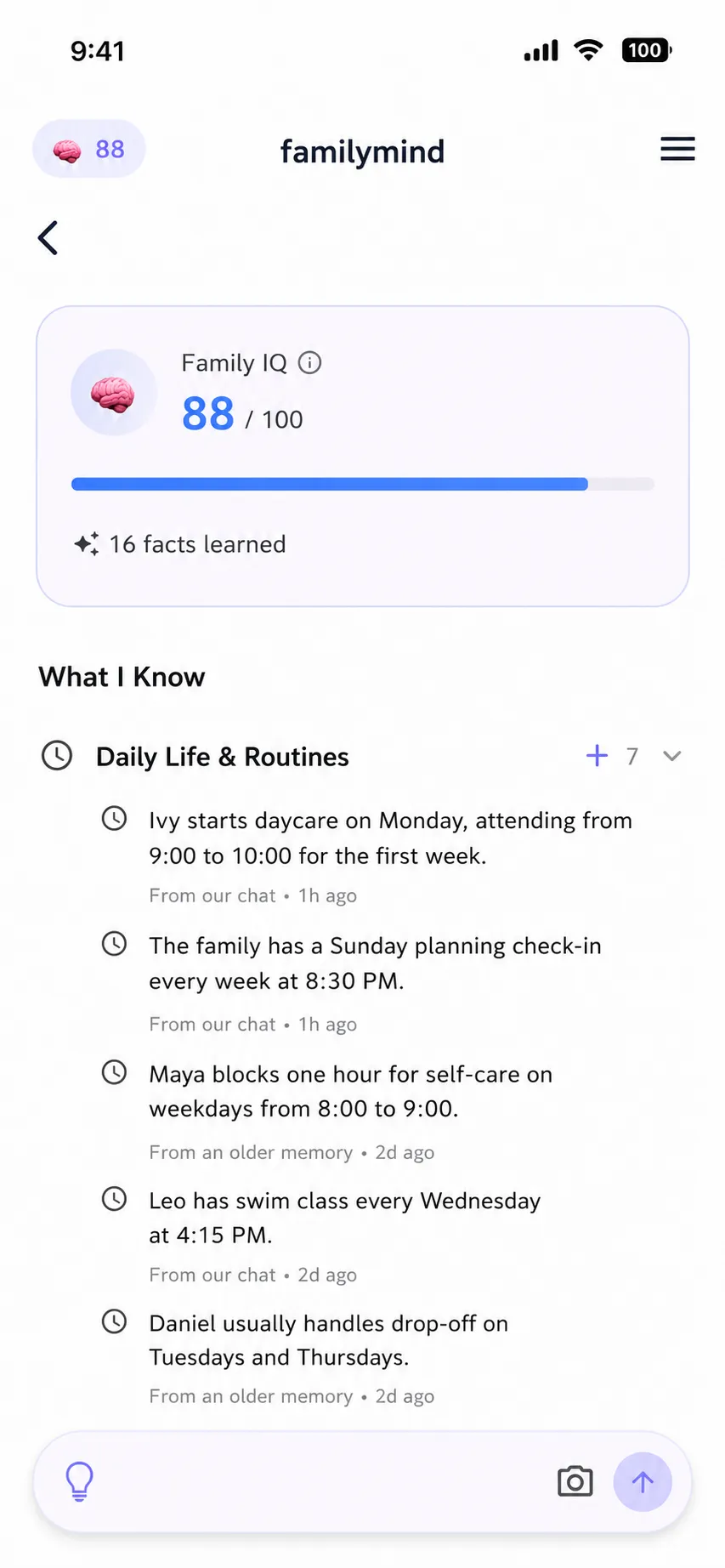
Take a photo of the school letter and it becomes a date with a reminder for the right person. Say it or type it, and familymind takes it from there.
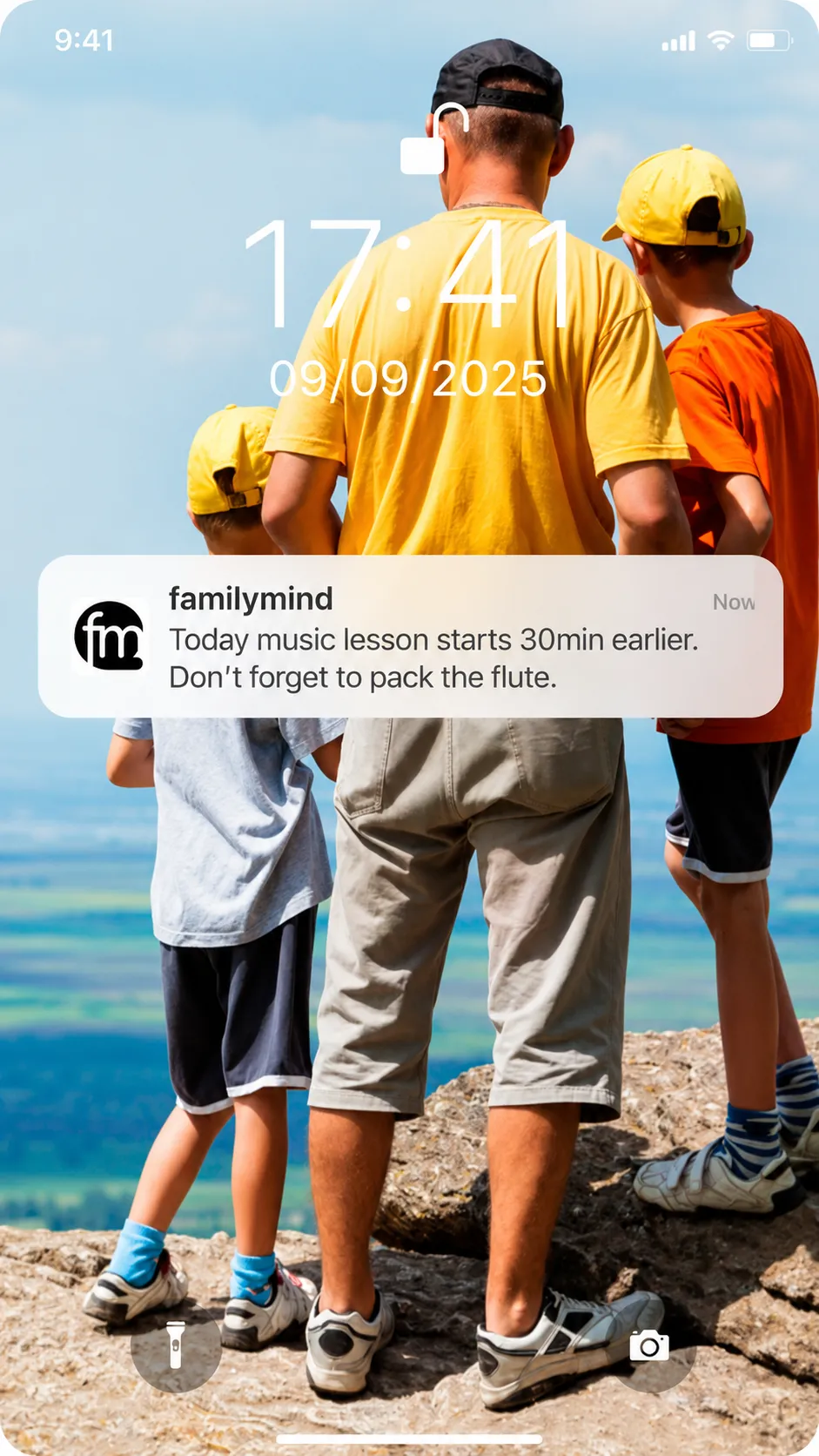
Six moments every family knows, and what familymind does in each one.
Go through the week together: every appointment, pickup and activity in one calendar, synced both ways with Apple and Google.
Plan the week’s meals once. Whatever you’re missing goes on the shared shopping list.
Chores are shared out and visible to everyone. Kids get age-appropriate tasks too.
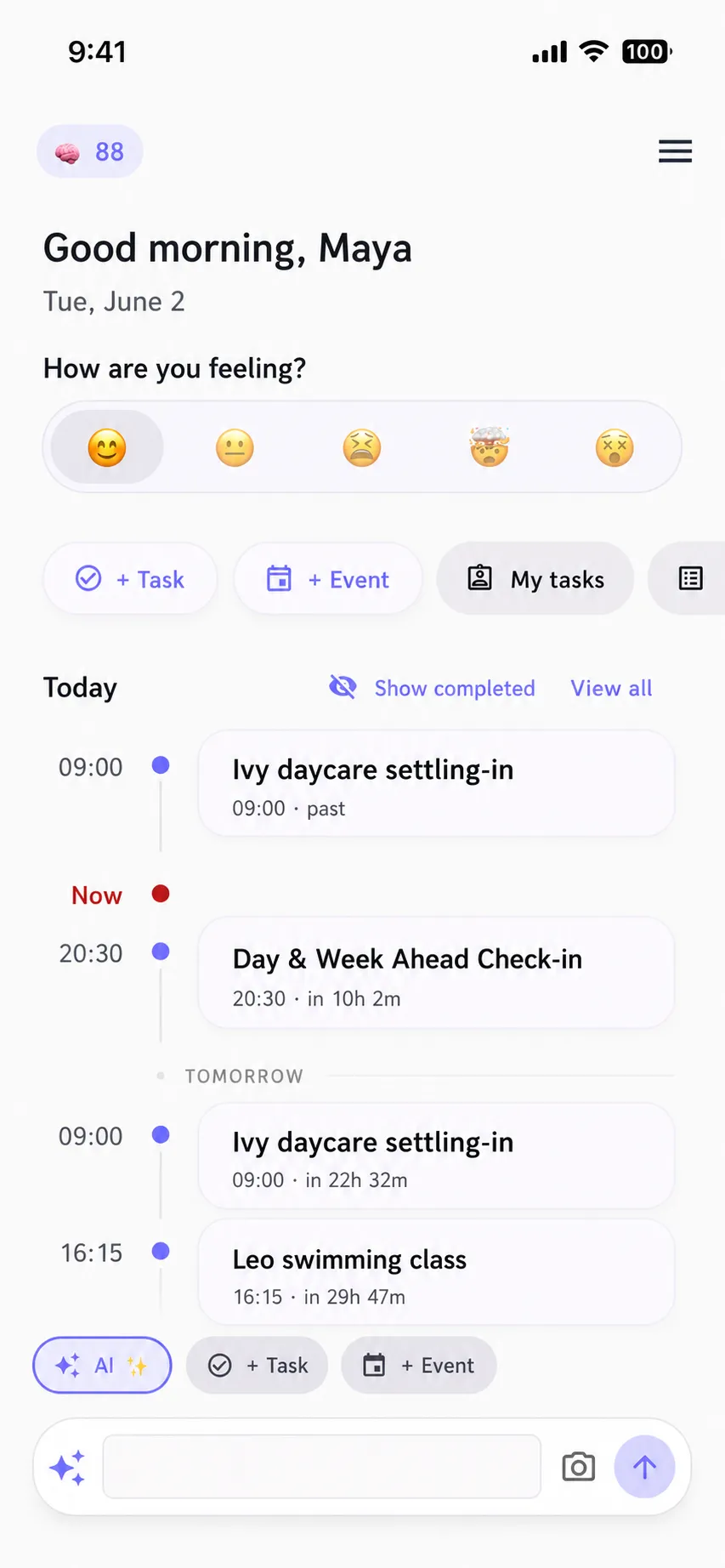
Open the app and see who needs to be where today, and what comes next.
Take a photo. familymind adds the date and a reminder for you.
A quick daily check-in on how everyone feels, and questions that start real conversations.
Start in the browser or on the phone. Everything stays in sync, with Apple and Google Calendar too.
A free 2-minute quiz that shows where the load really sits and sets up Even from day one.
Start the quiz →The Mental Load Score shows where the load sits today. The Family Compass shows where you want to be as a family.
Start the Compass →Chore charts, meal plans and a mental load audit. Print them, then snap a photo into familymind.
See the printables →Paper is a great start. Add it into the app anytime and familymind keeps it fair.
Or read: How to survive the summer holidays without losing your mind
A shared family calendar is one calendar the whole family sees: every appointment, pickup and activity in one place, for partners, kids and grandparents alike. In familymind it is part of the free plan, syncs both ways with Apple and Google Calendar, and comes with a published link for Outlook and every other calendar. Atlas, the schedule assistant, keeps hobbies, birthdays and check-ups on the radar too. Why family calendar apps never stick.
Yes. familymind is a Family AI built around the shared family calendar. It remembers how your family works, so when music moves, the pickup moves too, and the right person hears about it before anyone has to think of it. Atlas looks after the schedule, Mia the meals and Even the sharing of the load, all in the same app. What an AI family assistant takes over.
It replaces the juggling, not the calendars you already use. familymind keeps the shared family calendar, tasks, meals and chores in one place, syncs both ways with Apple and Google Calendar and publishes a link for every other calendar. What a planner app cannot do is remember your family and act on it: familymind plans ahead, adjusts when things change and shares the load. Why families need more than apps.
By taking over the remembering. Take a photo of the school letter and familymind adds the date and a reminder for the right person. It learns the recurring things, like swim class on Tuesdays or the school run that alternates by week, notices what is coming and prepares it before anyone has to ask. And because it syncs both ways with Apple and Google Calendar, nobody types the same appointment twice. See how families use familymind.
Download familymind, invite your family, and plan your first week together. No credit card needed.